Switch from Harvest
Leave Harvest. Keep your history.
Eddish reads your account through Harvest's API and brings across years of entries, invoices and the PDFs you sent — not just a spreadsheet export.
Import before you cancel Harvest. Harvest's API stops working when your Harvest account closes. Run the import first, check it, then cancel.
How it works
-
Start your Eddish trial
Sign up with Google, Microsoft or email. You get 60 days with everything switched on — and the import needs no paid plan.
-
Connect Harvest
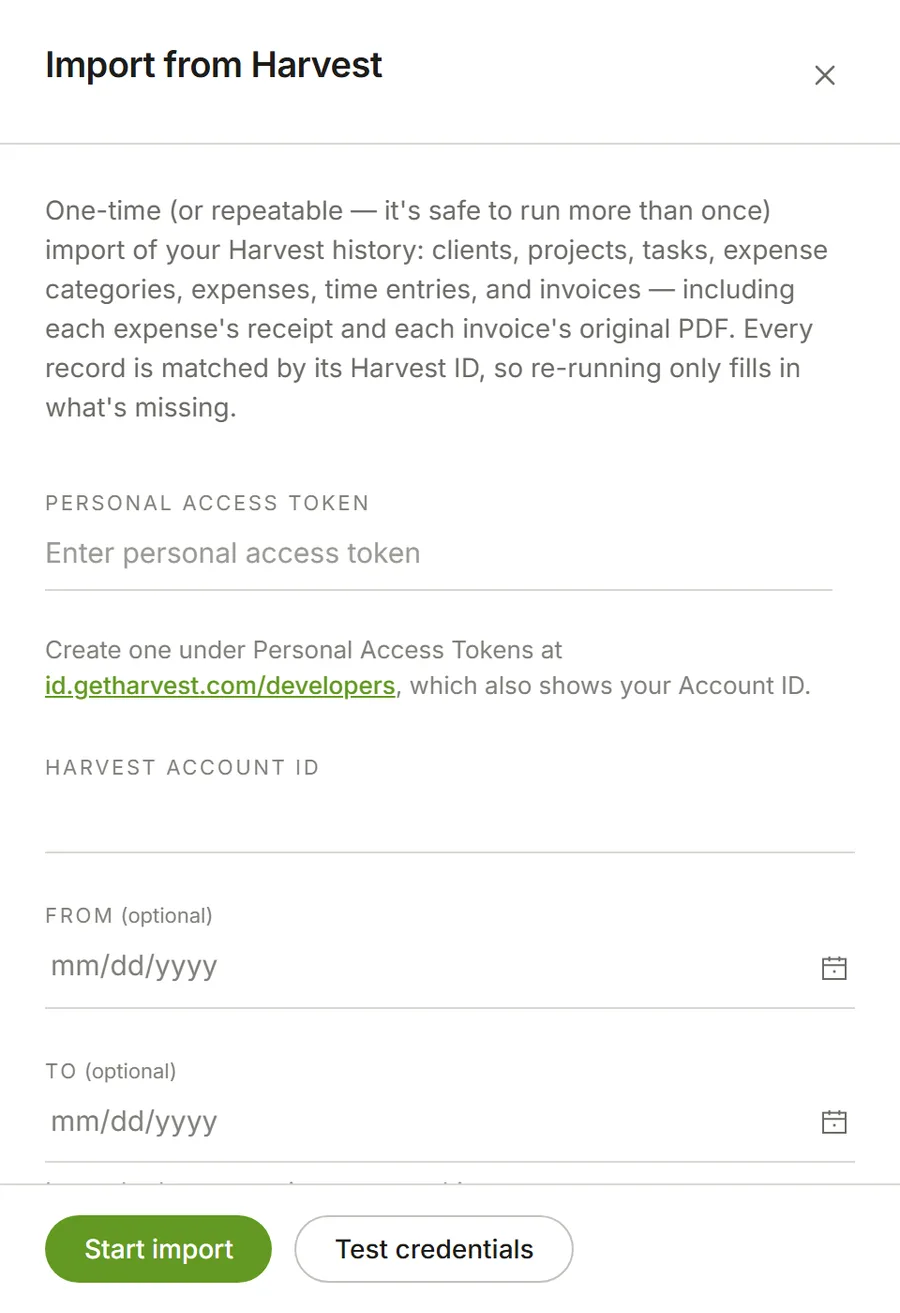
In Settings → Import, paste a Harvest personal access token and your account ID. Eddish only reads; nothing in Harvest is changed.
-
Import and check
Run the import, then compare a few weeks and invoices side by side before you rely on it. You can run it again — it only fills in what's missing.
-
Cancel Harvest
Once you're happy, close the Harvest account. Your history stays in Eddish.
What comes across
Time entries
Every entry, with its notes, task and billable status.
Your team
Each person's time and expenses arrive as theirs, with their rates.
Invoices
Line items, amounts and whether they were paid.
Invoice PDFs
The original documents your clients actually received.
Expenses and receipts
With their projects, categories and billable flags, and each receipt attached.
Clients, projects and tasks
Your structure arrives as you set it up.
Expense categories
So imported expenses sort the way they did before.
A date range, if you want one
Bring everything, or only the years you still need.
One panel, one button.
Everything is matched by its Harvest ID, so it's safe to run more than once — a second run only adds what the first one missed.